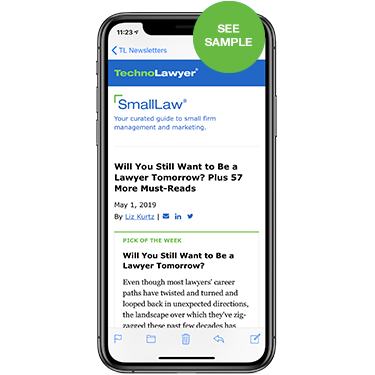
SmallLaw
Small firm, big dreams. Except perhaps for the one about the private jet, you can make them all come true with a lot of hard work, a little luck, and some help from the savvy SmallLaw team.
Written by practicing lawyers who manage successful small firms and management and technology consultants who have achieved rock star status in the small firm world, this newsletter provides a mix of practical advice that small firms can use today, and insight about what it will take for small firms to thrive in the future.

Maybe that jet isn't out of the question after all.

Published every Monday, SmallLaw is free. Please subscribe now to SmallLaw or any of our other newsletters by using the form on this page.

Read a recent issue
Join TechnoLawyer Now
CURRENT MEMBERSHIP: 13,474
Your First Name: 
Your Last Name: 
E-Mail Address: 
Create Password: 
Retype Password: 
Alternate E-Mail 
(optional)
Recent Issues
Return to List of Recent Issues

SmallLaw: Nine Ways to Nurture Your Referral Relationships

Monday, August 30, 2010

SmallLaw-08-23-10-450

Originally published on August 23, 2010 in our free SmallLaw newsletter.

The success of your practice depends on a core of solid, reliable referral sources. You count on these people to send you business in good times and in bad. They know you, like you, and trust you. You can't live without them. You've got to create and nurture these relationships, or you're dead. In this column, you'll learn how to do so and have fun at the same time — nine tips in all.

The Secret to Lawyer Referral Relationships

How do you feel about your next referral source meeting? Are you excited, or are you dreading it?

You won't develop referral source relationships if you don't enjoy the process. You're a lawyer, and one thing I've learned about lawyers is that they won't do anything they don't want to do.

You've got to have fun building referral source relationships, or you're going to put them on the back burner. That's a fact I've learned to accept. If you aren't having fun, you're going to find a way to skip out on this essential part of building your practice.

1. Like Them or Ditch Them

Don't get involved with referral sources you don't like. When you meet a contact for the first time, make a decision. If you don't like your contact, then scratch him or her from the list. Cut the meeting short and go back to work. Only keep people you like on the list. If you can't get jazzed about seeing a person again, leave him or her for someone else to cultivate.

2. Find an Activity in Common

As you get to know your contact, listen for activities you have in common. As soon as you find something you both enjoy, get off the coffee/lunch train and do the activity. Take your contact to a baseball game, play golf, bowl, or enjoy the ballet together. You already enjoy the activity — now you're sharing it with your new friend. As a bonus, most activities are better for your waistline than eating and drinking.

3. Bring Them Home For Dinner

Dinner at your house is more fun than a business lunch. You'll all relax, have some wine, and get to know your spouses, significant others, and possibly children. A home visit takes your relationship to the next level and gives you both insight into the other person's life. Of course, dinner at your house leads to dinner at your contact's house. The relationship becomes closer and closer.

4. Learn From Them

Figure out what your referral sources know — their expertise. Ask for help and advice. Get engaged in the subject matter of their expertise. Is he a motorcycle restoration expert? Do you have some interest? Ask to help so you can see how that vintage Harley works firsthand. Does she speak Spanish? Would you like some help learning conversational aspects of the language? Ask.

5. Help Them in Business

Don't miss a chance to help your contacts with their business. Refer business to them, but go further and do more. Offer your vendors if they might be of assistance. Look for products they might find useful. Keep their needs top of mind as you move through the day, and you'll find ways you can help. Helping others feels good.

6. Ask for Advice

Ask for advice and you'll receive some good ideas and, better yet, foster a positive feeling in your referral source. Everyone likes being asked for and giving advice. It makes us feel special, and we get that same good feeling you get from helping others.

7. Be a Friend

Life is filled with unexpected twists and turns. When your referral source encounters a problem, make yourself available to help. It might be covering childcare when a medical problem arises. It could be transportation for a child when a schedule conflict pops up or helping out at an event your contact is hosting. Be there when the need surfaces, and you'll cement the relationship.

8. Shop for Them

Keep your referral sources top of mind when you're out and about. Buy them a gift while you're visiting an exotic vacation destination. Pick up a pie for them while you're at the farmers' market. If you truly know your referral sources, you'll know when you've stumbled across the perfect gift. It feels better to give than to receive, right?

9. Friend Them

Be sure to friend or follow your referral sources on Facebook, LinkedIn, Twitter, and Plaxo. Talk to them about any other networks they're involved in and join them. Share your interests and life via the Internet. Post pictures on Facebook, post business developments on LinkedIn, and tweet to your heart's content on Twitter.

Conclusion

These nine actions can have unexpected results. The next thing you know, you're having fun with your referral sources. Your relationship becomes economically beneficial and enhances your life. Don't hold back with your referral sources. Go all the way and you'll build a practice that supports you financially and emotionally for years.

Written by Lee Rosen of Divorce Discourse.

How to Receive SmallLaw
Small firm, big dreams. Published first via email newsletter and later here on our blog, SmallLaw provides you with a mix of practical advice that you can use today, and insight about what it will take for small law firms like yours to thrive in the future. The SmallLaw newsletter is free so don't miss the next issue. Please subscribe now.

SmallLaw: Everything Law Firms Need to Know About Switching to VoIP Telephone Service

Wednesday, August 25, 2010

SmallLaw 08-16-10 450

Originally published on August 16, 2009 in our free SmallLaw newsletter.

The FCC defines Voice Over Internet Protocol (VoIP) as "a technology that allows you to make voice calls using a broadband Internet connection instead of a regular (or analog) phone line." I define it as a way for small law firms like ours to reduce our telephone costs. In this issue of SmallLaw, I'll tell you everything you need to know about making the switch to VoIP.

GETTING UP AND RUNNING

I use multiple flavors of VoIP, but let's speak in terms of some of the more standard services such as Vonage, which you may find less daunting for your initial entry into the world of VoIP.

Think of Vonage as a replacement for your "regular" phone company. You sign up with Vonage (while leaving some overlap with your regular old phone service — often referred to as POTS for "Plain Old Telephone Service") just to be on the safe side until everything is up and running well.

Vonage will give you a new number, which can be either a regular or "toll free" number. However, you can transfer your existing telephone number to Vonage. It may take a few days to accomplish, but from a practical standpoint you can make it appear to work immediately by "forwarding" calls to your temporarily-still-in-existence POTS line to your new Vonage number until the change-over is complete. Note also that there are cheaper and perhaps more satisfactory alternatives to obtaining an 800 number from Vonage that you can use while still using Vonage as your carrier.

Vonage will provide you with a small adapter (perhaps the size of two cigarette packages, if any of you remember those) that you plug into your Internet modem or switch. This equipment must remain on all the time for your phones to work, but individual computers on your network may be turned off. Also, most standard VoIP services (such as Vonage) provide voicemail so you can receive message in the event your Internet modem is inadvertently (or even intentionally) disconnected.

VOICE, FAX, AND COSTS

Once you have connected the adapter provided to you by Vonage to your Internet connection, you can plug any old phone or phone system into that adapter, just as you would previously have plugged such a phone or phone system into your POTS line. You could (but almost certainly should not) use an old fashioned regular "desk phone," which you could use only that one single location. More likely, you will want to plug into the adapter the "base" unit of a multiple handset phone system (the very same kind you would install in your home or small office if you wanted a multiple handset system, and plugged the "base" unit into a POTS line).

You then proceed precisely as if the base unit were plugged into a POTS line instead of into a VoIP line. If the telephone system you plug in would require you to go through some routine for the handsets to locate and recognize the base unit if plugged in to a POTS line, you do exactly the same if the base unit is plugged into a VoIP line.

Vonage will also supply you also with a fax line. Frankly, you would probably have reasonable success using a Vonage voice line for faxing, but Vonage says their lines intended especially for "faxing" are far better and more reliable for that purpose. With some Vonage plans, a fax line is a "free" included extra. With other plans, it costs an extra $10 or so per month.

VoIP is typically far less expensive that traditional POTS service. The basic monthly fee often covers unlimited calls to the U.S., Canada, and Europe — with calls outside those areas at a very low rate. Furthermore, if you want to travel with your small adapter, you can hook it up anywhere in the world and incur no charges beyond your monthly flat fee, and anyone can call you as though you were at home. If you get stuck, you will find that Vonage customer service and support will help you out.

AUTO ATTENDANT AND CALL HANDLING

Once everything is set up as aforesaid, using your telephone is, at least in theory, indistinguishable from using a "regular" telephone. In fact it may be even better. Some VoIP services function like a PBX service. You can set up an auto-attendant to answer, saying "Thanks for calling, press 1 to speak with Joe Lawyer, press 2 for directions to our office," etc.

There are many options for call handling, and these may be adjusted by time of day (business v. off hours), or even by individual Caller ID (send that pesky stalker straight to voice mail, or better yet, give him a message saying the phone has been disconnected and there is no new number). One of the very nice perks is that you can for a modest fee add "virtual numbers" anywhere so that residents there can call you for the same price to them as making a local call, and it will ring on your regular VoIP number. Good for Mom residing back East, or for distant business contacts for whom you would like to create the feel of a presence in their locale.

VOIP ISN'T PERFECT PLUS A FEW CAVEATS

You can experience variances in quality, dropped calls, etc., but such problems no longer occur as frequently as in the early days. They are not so significant as to prevent many businesses from exclusively using VoIP. However, VoIP is put completely out by the very rare Internet outage. Most VoIP services (including Vonage) however, will obtain from you an alternate number (e.g. cell phone) to use in the event of such an outage.

All in all, a VoIP system is pretty easy to get up and running, and once you have done so, the user experience is pretty indistinguishable from POTS (although you should bear in mind that some of the other services dependent upon the use of computers directly, rather than just a connection to the Internet — e.g. Skype — are quite different from what is discussed above.

I use Skype, and have heard good things about the usefulness of magicJack. But I would not consider using either as my primary business telephone service provider. You need to give consideration to your professional image and to the impression created in the minds of potential and existing clients, as well as other counsel and court personnel, when they attempt to communicate with you by telephone.

WHAT'S NEXT?

You will soon be able to (and to some extent and in some circumstances with some carriers already can) use VoIP services to carry on conversations over your cell phone. The upshot is that you can use the data capabilities from your cell provider for your calls, instead of using up (and paying for) cell voice minutes. Alas, having seen the future, many carriers have begun putting an end to unlimited data plans.

Written by Yvonne M. Renfrew.

How to Receive SmallLaw
Small firm, big dreams. Published first via email newsletter and later here on our blog, SmallLaw provides you with a mix of practical advice that you can use today, and insight about what it will take for small law firms like yours to thrive in the future. The SmallLaw newsletter is free so don't miss the next issue. Please subscribe now.

SmallLaw: YouLaw: When the Maytag Repairman Won't Help You

Monday, August 16, 2010

Originally published on August 9, 2010 in our free SmallLaw newsletter.

Watch the Video

TechnoScore: 4.5
1 = Lowest Possible Score; 5 = Highest Possible Score

Real estate attorney Hugh Fitzpatrick of New England Title & Escrow Services caught my eye with this video that stands out from the beginning. The initial opening scene looks as if he's standing at a podium in a CLE lecture. The background makes it seems like his firm has many media events.

Once the video starts to play, I realize that what appears to be a podium is just a lower third graphic. I like that this attorney looks straight at the camera and answers a specific question that people have regarding a real estate closing. Admittedly, Fitzpatrick is not as seamless and polished as he could be. Although he is wearing a suit and tie, his collar is open and his tie is pulled open a little as well.

I like how he appears to be answering the question off-the-cuff and giving an answer as if someone is sitting across the table from him asking him a question about warranties on appliances at the time of closing.

There is some unobtrusive background music during this 1:44 video but you don't recognize it till you pay attention to it.

I like the tone and feel of this attorney video. It seems totally natural. It's not overly polished and slick, and answers a specific question that many people have on their minds when buying a house.

The video zooms in at times moved around a little as well. This technique has been used often on reality-based TV shows and again gives a different feel than simply a traditional video.

Tip #1: Your Video Technique Should Not Distract From the Message

I like that Fitzpatrick's video zooms in and move around a little bit without appearing shaky. It provides a feel that many lawyer videos don't have. It is apparent that someone else is shooting this video. Many lawyers who create their own videos do not have someone to shoot it for them and create this effect.

If you want to use "outside-the-box" techniques in your video, make sure that your technique does not detract from your educational message. Your goal is to make your video technique as seamless and invisible as possible. You don't want anyone focusing on your audio, lighting, or special effects while trying to listen to your content.

Tip #2: Ask a Question, Then Give an Answer

Most lawyers and video production companies don't know about this tip. Viewers watch your video to get an answer to their pressing problem. If you ask a question on their mind, and then give them a generic answer who do you think is more likely to get that call asking for more information? You or a lawyer with a static Web site with very little useful information?

Tip #3: Think Different

Kudos to Fitzpatrick for differentiating himself from most lawyers. His video immediately stands out because he does not have the same type of background that most other lawyer videos have. Forget the patriotic scenes in your background, the flying flag, the courthouse steps, the Roman columns or even a gavel. People are tired of seeing the same cliched images in lawyer videos.

When creating educational video to market yourself online, you have a number of hurdles that you must overcome:

  • Visibility: Prospects finding your video when searching for a lawyer with your expertise.

  • Promotional Copy: Once your video is on the list among many other videos that a consumer can choose from, there must be something compelling in that little snippet of information that will persuade prospects to click on your video as opposed to those of your competitors.

  • Content: If a prospect clicks your video, it must have compelling enough content so that they'll watch it in its entirety.

Most lawyers who create video online today have no difficulty pressing the record button and talking. The question I often receive is "Why doesn't my video generate any business?" After years of learning what works with lawyer videos and what doesn't, I can report that differentiation is just the first of many steps to persuading people to pick up the phone and call you.

Till next time, see you on video!

The Back Bench

Certified Family Law Specialist and online video producer Kelly Chang Rickert says: "Not a bad beginning. But the middle needs work! Not only is his head cut off, he takes too long to explain a very simple concept. As in, should I just leave the appliances in the home? Yes or no? 30 seconds is good. 1 minute 45 seconds no good."

TechnoLawyer publisher and online video producer Neil Squillante says: "Hugh Fitzpatrick offers solid advice to prospective homeowners regarding appliances included in the purchase. I could criticize his loose tie and his rambling at times, but I'll cut him some slack."

Written by Gerry Oginski of The Lawyers' Video Studio.

How to Receive SmallLaw
Small firm, big dreams. Published first via email newsletter and later here on our blog, SmallLaw provides you with a mix of practical advice that you can use today, and insight about what it will take for small law firms like yours to thrive in the future. The SmallLaw newsletter is free so don't miss the next issue. Please subscribe now.

SmallLaw: iPad App Reviews: iAnnotate and Things

Monday, August 09, 2010

SmallLaw-08-02-10-450

Originally published on August 2, 2009 in our free SmallLaw newsletter.

I recently reviewed Apple's iPad in the TechnoFeature newsletter. Below you'll find reviews of two iPad apps on which I've come to rely — Aji's iAnnotate for reading and annotating PDF files and Culture Code's Things for project and task management.

IANNOTATE

iAnnotate serves as a competent PDF reader that enables you to create notes and highlight portions of PDF files. It is very easy to use and a potentially valuable tool for lawyers. iAnnotate costs $9.99.

iAnnotate's tools include sticky note comments, underlining, highlighting, strikethrough, freehand drawing, and bookmarking. The highlight, underline, and strikeout annotation features only work with PDF files that you upload through the iAnnotate PDF Service.

The what? The iAnnotate PDF Service is a software program for Mac and Windows that enables you to sync your iPad with your computer via a WiFi connection to transfer PDF files.

File transfer represents iAnnotate's greatest weakness. Computers with extra layers of security sometimes preclude the application from working. iAnnotate does not support the most popular cloud storage locations yet. As with other document apps, you can sync the documents through your iTunes software.

iAnnotate has great potential and already qualifies as very useful. I hope later releases will fix some bugs and address the deficits, especially the issue of file transfer. Until the developer resolves these issues, iAnnotate will not realize its full potential. Nevertheless, if you buy an iPad, you'll find iAnnotate worth the $9.99 investment.

THINGS

Things offers rudimentary project management functionality on your iPad for $19.99. I should note that the developer also sells an iPhone version ($9.99) and a Mac version ($49.50). They all do basically the same thing (no pun intended), although the interface appears slightly different in the various versions.

Things organizes projects by lists of activities that you must complete to finish the project. Things is well designed and fairly simple and straightforward to use. It enables you to view your information in several different perspectives including:
  1. The "Next" list, which shows all of the next actions for each project, organized by project. You can also sort this list by due date by touching the alarm clock icon.

  2. The "Scheduled" list provides a view for tasks to start at a later date, which is helpful if you need to schedule something that could take several days to complete.

  3. The "Someday" list enables you to park the tasks that you'll get around to "someday" whether it is working toward a paperless office or buying a new billing program.

  4. The "Projects" area lists all of tasks associated with each project. Tap on a project to open it and see the list. Like the other lists, you get an icon bar at the top with which you can filter by tag, move an item to another list or project, mark items you want to pay attention to today, or add new items.

  5. The Logbook stores your completed tasks.
Things for the iPad has no import or export options (except syncing with the desktop software), and no way to email a list of tasks to someone else, though you can email individual tasks from each item's info box.

Things' organization of tasks by project makes it a useful addition to the standard "to-do" list program or calendar. I think it costs more than it should. Accordingly, I downgraded its Technoscore as a result of my cost-benefit analysis.

Conclusion

Both iAnnotate and Things make the iPad more useful as a legal tool. iAnnotate offers potentially greater utility, but has more flaws. Things is more polished, but in my opinion somewhat overpriced. Nevertheless, I plan to keep both apps on my iPad (I use iAnnotate more often).

Written by Jeffrey Allen of Jallenlawtek.

How to Receive SmallLaw
Small firm, big dreams. Published first via email newsletter and later here on our blog, SmallLaw provides you with a mix of practical advice that you can use today, and insight about what it will take for small law firms like yours to thrive in the future. The SmallLaw newsletter is free so don't miss the next issue. Please subscribe now.

SmallLaw: How Your Law Firm Marketing Videos Can Bat 1.000

Monday, August 02, 2010

Originally published on July 26, 2009 in our free SmallLaw newsletter.

Watch the Video

TechnoScore: 2.5
1 = Lowest Possible Score; 5 = Highest Possible Score
Fast talking Social Security disability lawyer Lee Coleman of Hughes & Coleman tries to set himself apart from other lawyers by discussing win/loss percentages — namely, that such records are meaningless since some law firms only accept easy cases. Coleman compares a lawyer's statistics to those of baseball players. I'm not sure how a consumer would benefit from this analogy.

This video is lengthy for this type of comparison. The sidebar description is sorely lacking, and doesn't give a viewer any way to get in touch with Coleman.

From a technical standpoint, the audio could be improved. Coleman is sitting in a very pretty looking office, with a gold framed painting and a visually pleasing lamp. However, I cannot understand why the lamp is not turned on since that would create a nice lighting effect. With the light off, the entire right side in the corner appears dark.

I suspect Coleman is shooting this video himself since he is not framed correctly. There is a tremendous amount of space above his head. He should have lowered the angle of the video camera on the tripod. When shooting video on your own, it's always a challenge to make sure that you are properly framed. You should create test videos.

Tip #1: Ask This Question Before Pressing Record

Before creating an attorney video, ask yourself "Will someone benefit from the information you are about to provide?" If you can't answer the question, don't create the video.

Coleman states that evaluating an attorney's wins is meaningless unless you know what types of cases he accepts and rejects. Okay, I get it. But it should take no more than 30 seconds. Coleman makes one good point — he can't win every case. "That's what happens when you go up against a major league pitcher."

Tip #2: Skip the Fancy Graphics

The graphics in Coleman's video tend to be visually over-the-top — they fly in and out every time he changes topics. Also, they are so wordy that they take up half of the frame and obscure Coleman. Skip the flashy graphics. Creating a video with too much polish can make you seem less approachable.

Tip #3: Differentiate Yourself Without Referencing Your Competitors

It's okay to be different. But don't disparage other law firms. It not only makes you look immature, but may expose you to a defamation claim as well.

Till next time, see you on video!

The Back Bench

Certified Family Law Specialist and online video producer Kelly Chang Rickert says: "Lee Coleman does an excellent job explaining statistics. He has a frank and forthright style — I like him. However, what exactly does his firm do? He needs to explain more. The video itself is pretty good — I would opt for a different background and maybe more interesting effects — but otherwise, it's good. My motto is short and sweet. This one seems to lack on those two points."

TechnoLawyer publisher and online video producer Neil Squillante says: "I like Lee Coleman's message about how his firm accepts tough social security cases, but it takes him too long to make his point. Also, I like analogies, but I'm not sure the baseball analogy works here. In fact, I don't think you need an analogy for his relatively simple pitch (no pun intended)."

Written by Gerry Oginski of The Lawyers' Video Studio.

How to Receive SmallLaw
Small firm, big dreams. Published first via email newsletter and later here on our blog, SmallLaw provides you with a mix of practical advice that you can use today, and insight about what it will take for small law firms like yours to thrive in the future. The SmallLaw newsletter is free so don't miss the next issue. Please subscribe now.

TechnoLawyer's SmallLaw newsletter provides essential and realistic advice for solo and small firm lawyers thanks to columnists like Ross Kodner and Mazyar Hedayat who work in the trenches everyday. SmallLaw is my go to source for practice and technology information.
- Phil Rhodes, Esq., Law Office of Philip Rhodes
Advertise With Us


Powered by PeerViews About Us | Advertise With Us | | Privacy Policy | Terms of Service
TechnoLawyer • PeerViews Inc., 100 Church Street, FL 8, New York, NY 10007
Copyright © 1997-2010 PeerViews Inc. All rights reserved.